
📄 Document Scanner
Document Scanner Description
Document Scanner is a professional and responsive web application designed to help users convert ordinary document photos into cleaner, easier-to-read scanned documents. Modern smartphones are capable of taking high-resolution photos, but document images often suffer from lighting issues, shadows, low contrast, and color distractions. This online scanner solves those problems by allowing users to upload an image and apply scanning enhancements directly inside the browser.
The application works completely on the client side using HTML, CSS, and JavaScript. No external software installation is required. Users can quickly upload images of invoices, receipts, contracts, notes, study materials, business documents, forms, identification papers, reports, and other printed pages. Once uploaded, the image is displayed inside a preview area where enhancement tools can be applied.
One of the most useful features is grayscale scanning. This converts a color image into a clean black-and-white document appearance similar to traditional office scanners. The grayscale effect helps reduce distractions and makes text more readable. The enhance feature further improves visibility by increasing contrast and sharpening the appearance of the document.
The responsive design ensures compatibility with mobile phones, tablets, laptops, and desktop computers. The layout automatically adapts to different screen sizes, making the application easy to use regardless of device type. Large touch-friendly buttons improve accessibility for smartphone users.
Privacy is another major benefit. Since image processing occurs locally within the browser, uploaded documents are not sent to a remote server. This makes the scanner suitable for handling sensitive information and confidential paperwork. Users maintain full control over their files.
Document Scanner is ideal for students, teachers, office workers, freelancers, business owners, researchers, accountants, and anyone who regularly works with paper documents. Students can digitize notes and assignments. Businesses can archive receipts and invoices. Professionals can create quick digital copies of important paperwork.
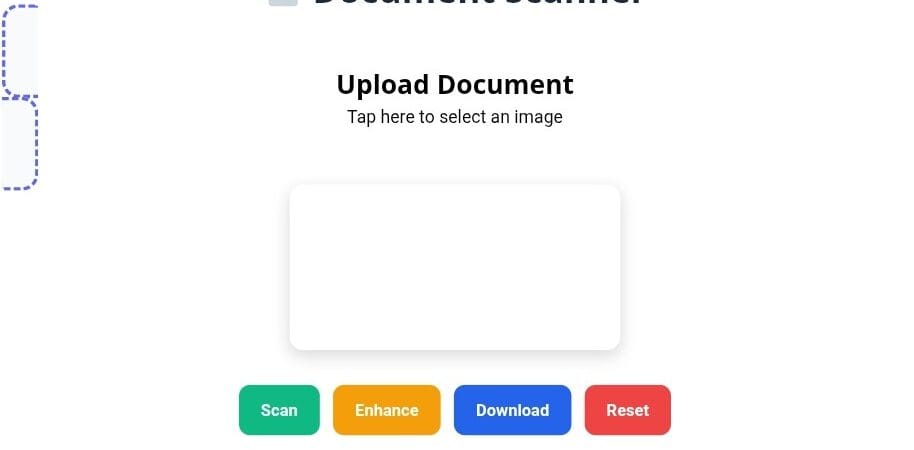
The scanner interface is intentionally simple and user friendly. Users can upload an image, apply scanning effects, download the result, or reset the workspace with a single tap. The clean interface minimizes distractions and focuses on productivity.
Advanced browser technologies such as the HTML5 Canvas API enable real-time image manipulation. The application redraws image pixels and applies enhancement filters instantly without requiring additional plugins. This results in a smooth and efficient user experience.
The design incorporates modern visual elements including gradients, rounded corners, responsive layouts, attractive colors, shadows, and interactive controls. These design choices improve usability while maintaining a professional appearance suitable for both personal and commercial use.
How to use Document Scanner: First, click or tap the upload area and choose a document image from your device. Once uploaded, the document appears in the preview section. Press the Scan button to convert the image into a scanner-like grayscale version. Press the Enhance button to improve contrast and readability. When satisfied with the result, click Download to save the scanned image to your device. If you wish to start over, simply press the Reset button to clear the scanner and upload another document.
The application is lightweight, fast, mobile-friendly, secure, and easy to integrate into websites, educational portals, business tools, productivity platforms, and document management systems. Its combination of simplicity and practical functionality makes it an effective browser-based document scanning solution for modern users.